
Understanding Snapchat Passwords Hacking to Better Defend Yourself
WARNING: For educational purposes only
This guide outlines methods used by cybercriminals solely to strengthen your security. Any malicious use is illegal.
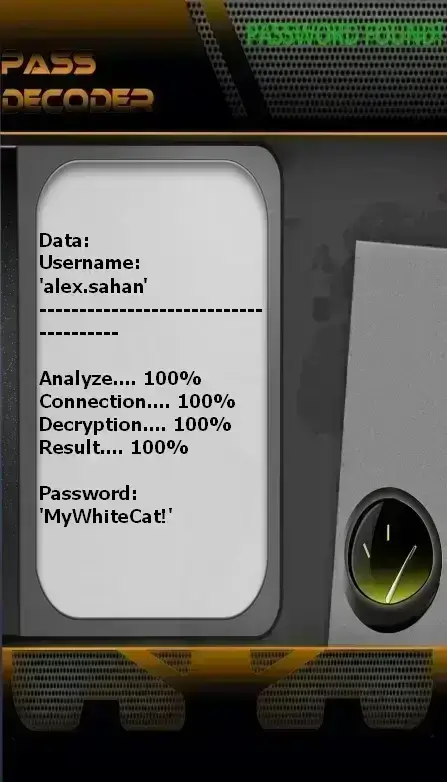
PASS DECODER
Procedure to access a Snapchat profile using various identifiers:
- Go to the dedicated interface: https://www.passwordrevelator.net/en/passdecoder
- Launch the process and enter one of the following: email address, phone number, or Snapchat username.
- The system analyzes the information and displays the login credentials associated with the account.
Important: This procedure can be repeated for multiple accounts successively, without restriction.
Why does Snapchat attract cybercriminals?
Several factors explain hackers’ interest in this platform:
- Ephemeral private messages: Temporary content may include sensitive personal information
- Young users: A demographic often less aware of digital risks
- Geolocation feature: Snap Map can reveal real-time locations if improperly configured
- Potential for impersonation: Compromised accounts are used to deceive the victim’s contacts
- Blackmail potential: Threats to disclose saved or recorded content
Main account compromise methods
1. Targeted Phishing
Fraudulent communications impersonating Snapchat.
How it works:
- Fake security alerts
- Redirection to counterfeit login pages
- Interception of login credentials
- Stealthy redirection to the legitimate platform
2. Psychological Manipulation
Exploiting trust and interpersonal relationships.
Tactics used:
- Pretending to have lost access and requesting help
- Fake technical support identities
- Using compromised accounts to obtain verification codes
- Offering rewards or benefits in exchange for credentials
3. Malicious Third-Party Apps
Unofficial apps promising premium features.
Infection vectors:
- Tools to save ephemeral content
- Modified versions of the official app
- Browser extensions for discreet viewing
- Spyware embedded in Android applications
4. Mobile Number Hijacking (SIM Swapping)
An advanced technique exploiting SMS-based recovery.
Typical process:
- Gathering personal information from social networks
- Contacting the mobile carrier under a false identity
- Transferring the phone number to a new SIM card
- Resetting the password using the intercepted SMS
5. Credential Reuse
Exploiting reused passwords across platforms.
Consequences:
- Data breaches from other services
- Automated testing of stolen credentials
- Immediate access if the username is known
- Bypassing Snapchat’s security systems
6. Unauthorized Content Preservation
Circumventing the ephemeral nature of content.
Risks involved:
- Screenshots taken by the recipient
- Use of secondary devices to capture content
- Apps that bypass notification alerts
- Recovery of conversations from infected devices
Essential protective measures
1. Strong Credentials
- Minimum 12 varied characters
- Use a unique password for each platform
- Avoid predictable personal information
- Use a dedicated password manager
- Change periodically if compromise is suspected
2. Two-Factor Authentication (2FA)
- Enable in Settings > My Account
- Prefer authenticator apps over SMS
- Avoid relying solely on SMS-based 2FA
- Store recovery codes securely
- Monitor login notifications
3. Privacy Settings
- Disable Snap Map or set to Ghost Mode
- Limit interactions to approved contacts
- Turn off automatic suggestions
- Restrict profile discovery options
4. Third-Party Access Management
- Revoke unnecessary permissions
- Regularly review connected apps
- Avoid surveillance or backup tools
- Download apps only from official stores
5. Anti-Phishing Vigilance
- Snapchat will never ask for your password via message
- Avoid clicking suspicious links
- Always verify web addresses
- Be wary of urgent or alarming messages
6. Device Security
- Use strong device lock mechanisms
- Keep your operating system updated
- Avoid unsecured Wi-Fi networks
- Uninstall unauthorized applications
7. Protection of Associated Data
- Use a dedicated email address for Snapchat
- Secure that email account with strong protection
- Enable carrier-level account lock (e.g., SIM lock)
- Avoid publicly sharing linked contact details
Emergency response if compromised
Act immediately:
- Attempt to log back in via the official app or website
- Immediately change your password if still accessible
- Report the incident via the official channel: https://support.snapchat.com/en-US/hacked
- Strengthen security of associated accounts
- Log out of all active sessions in security settings
- Warn your contacts about the compromise
- Perform a full device scan with antivirus software
- Enable two-factor authentication after recovery
Answers to common questions
Are there hacking methods that require no victim interaction?
Yes—through SIM swapping or credential reuse—but these require prior knowledge about the target.
Does Snapchat notify users about suspicious activity?
Yes, via email and sometimes in-app. Regularly check security messages from noreply@accounts.snapchat.com.
Is Snap deletion truly permanent?
Yes, after viewing—unless the recipient takes a screenshot. The platform cannot prevent external recordings.