
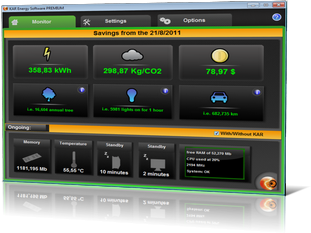
PC consumption:
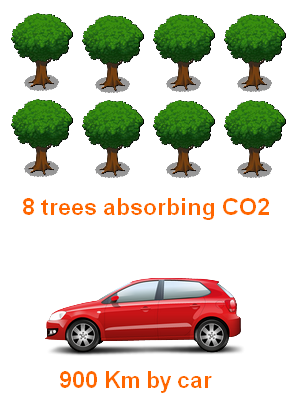
- The production of a desktop computer is estimated at 600kg of CO2 and 675kg for a flat screen.
- A desktop computer consumes 500kWh to 1300kWh per year.
- This can raise the spending costs of electricity by 90$ per year.
- A battery costs 100$.
- The screen saver is a big energy consumer.
- The turn off hard disk option damages the hard disk.
- 1Gb of RAM costs 40$.
- The power of calculating your computer is often disproportionate to the actual use of the machine.
- The memory usage is not at all suitable, resulting in slowdowns and overheating.
- Over 57% of users say they never turn off their PCs.
How does KAR Energy Software reduce the power consumption?
KAR Energy Software reduces the power consumption of your computer, laptop or server until 48% in 4 different ways:
 RAM Management:
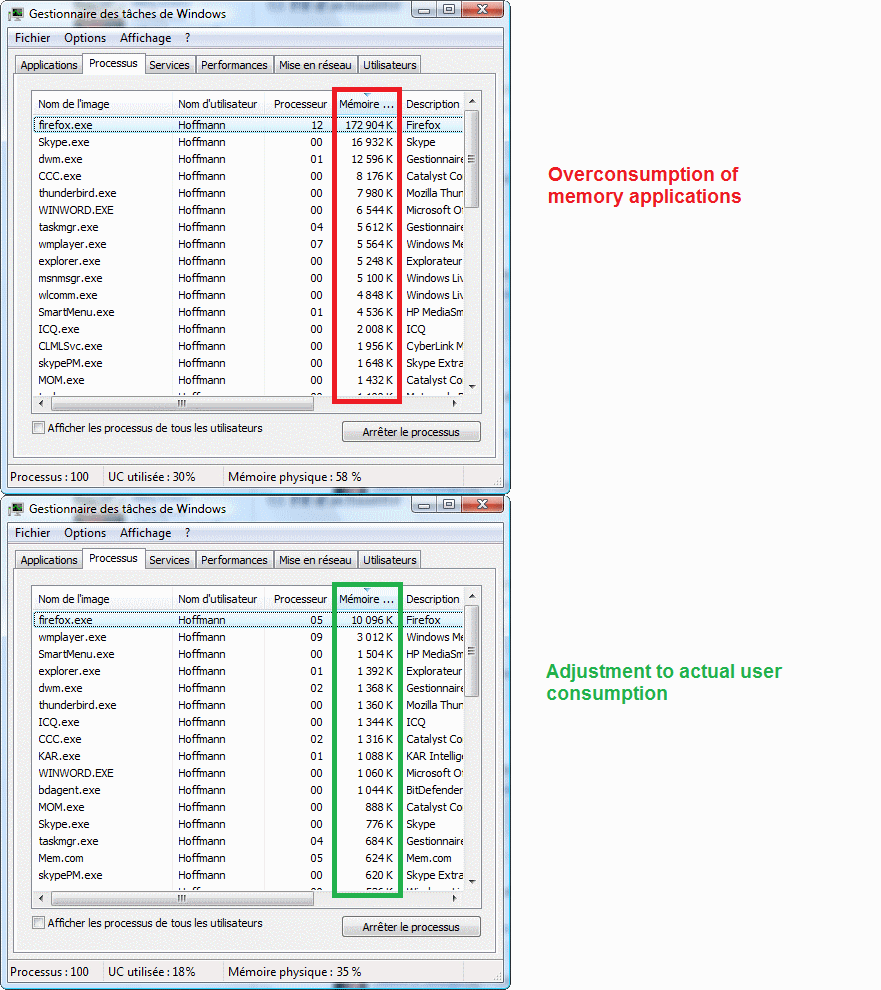
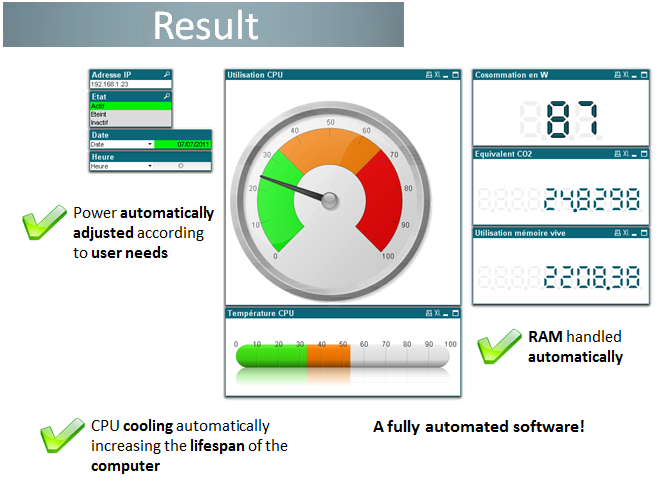
Over the years, the applications require more and more resources to operate while it is only for simple tasks in general. KAR Energy Software automatically adjusts the memory of the software to make computer faster (5 times) and more fluid.
CPU throttle:
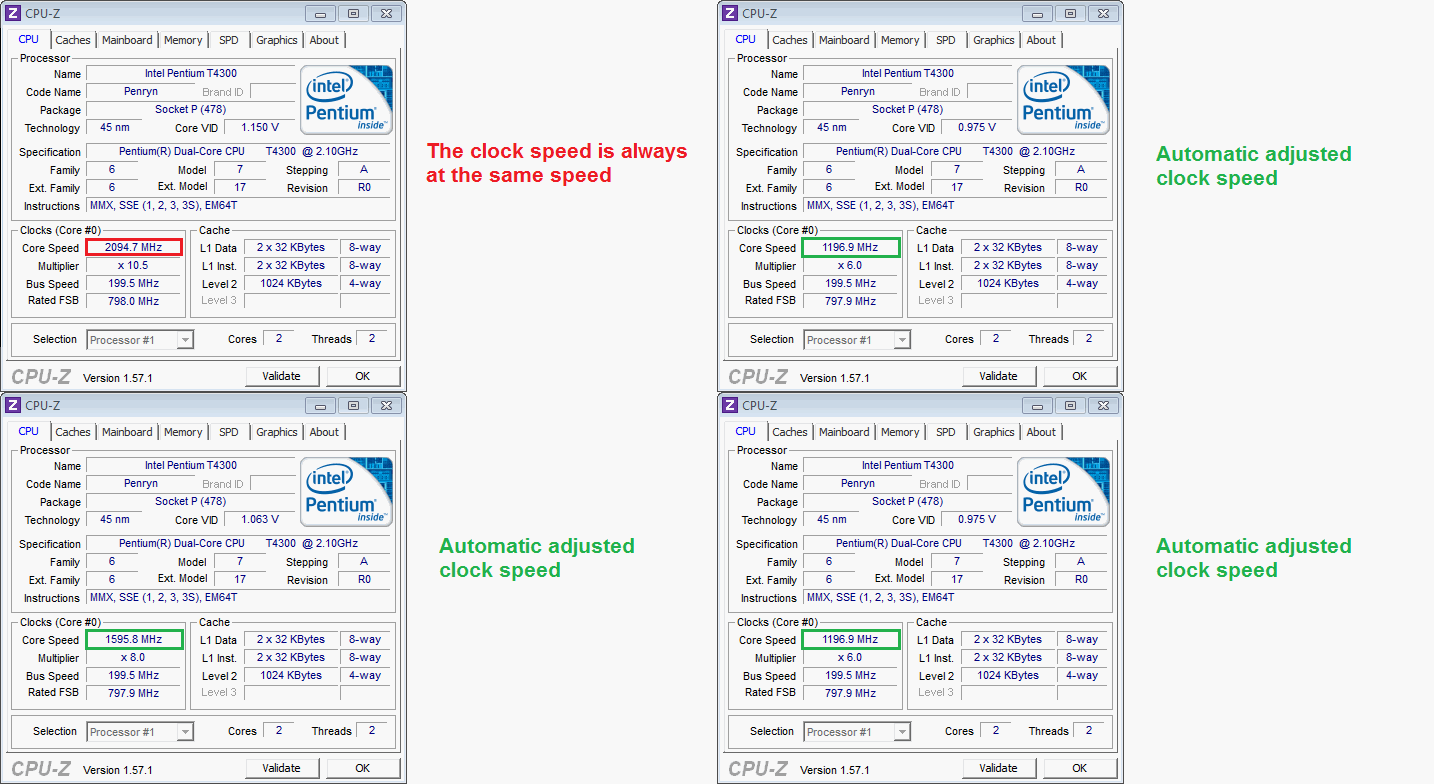
Your computer does not need to operate continuously at the same speed. For example, we do not need 3Ghz to write a document. Also, KAR Energy Software will automatically adjust the necessary clock power of your computer with the necessary speed. Indeed, the binary power modulation is dynamically similar between the increase time and the decrease time activity. In summary, KAR Energy Software throttles the power 3 times faster than Windows. This can be done automatically or manually.
CPU cool:
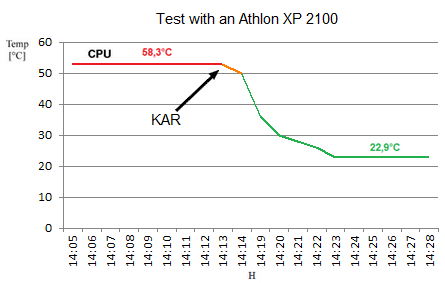
Processors can be heated to 90°C which damages them drastically. KAR Energy Software cools the processor electronically. This is different from the power managing which also cools the processor. CPU cooling goes to sleep unsollicited electronic components. If the processor is cooled at least 10°C, its lifetime will be 2 times longer!
Standby + Screen :
KAR Energy Software manages different standbys:
- Standby computer: KAR solves the non-standby computers (also called insomnia). Indeed, some processes are still activate although the user has closed them. This can prevent the machine going to sleep. KAR Energy Software solves this problem by analyzing the activity of the computer and forcing standby. In addition, the user can configure the different types of sleep and the hours where the computer will not go to sleep.
- Auto Standby: The computer goes to sleep automatically after a certain hour. If the user is always in front of his screen, the auto standby is off for 10 minutes.
- Standby Screen.
- Modulation of light intensity on the screen: KAR Energy Software can modulate the light intensity of the screen on a laptop during a short inactivity which generates large savings on the battery.

Wake Up!:
To be always ready to work without wasting time, KAR Energy Software can automatically turn on the computer 5 minutes before the user comes. The Wake On LAN works too.
Testimonials
Average rating: 5.0/5 (5 reviews published on this site)
« Using KAR Energy Software improves performance and extends component lifespan »

« This software lets us use again computers we thought were obsolete — Technology teacher »
« I had the chance to test it for a few days and was pleasantly surprised by its efficiency; my PC RAM was much less stressed and thanks to power scheduling it slept and woke automatically at set times »