
Complete Guide: TikTok Passwords Hacking Methods and Protection
WARNING: For educational purposes only
This page explains how hackers operate to help you better protect yourself. Any malicious use is strictly prohibited.
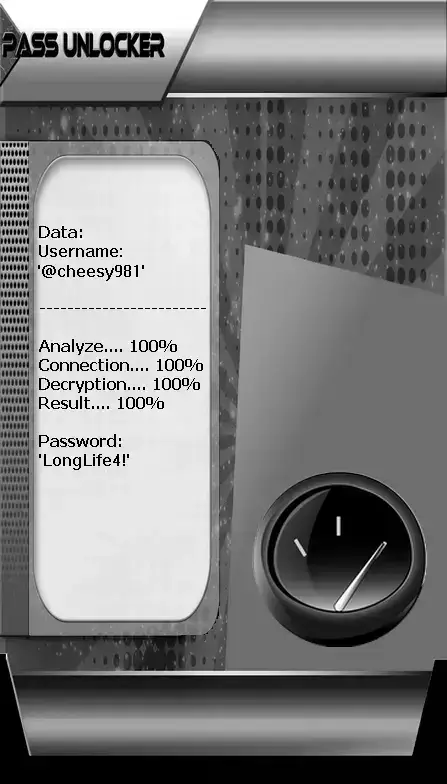
PASS UNLOCKER
Recover access to a TikTok account:
- Go to the dedicated platform: https://www.passwordrevelator.net/en/passunlocker
- Enter the TikTok username, display name, or associated email address
- The system scans databases and returns the login credentials
Note: This operation can be repeated for multiple TikTok accounts without restriction.
Why are TikTok accounts particularly targeted?
TikTok is a prime target for cybercriminals for several reasons:
- High-value influencer accounts: Advertising revenue and lucrative brand partnerships
- Extensive personal data: Preferences, location, viewing history
- Access to audience: Ability to scam followers of the compromised account
- Monetizable original content: Theft of viral videos and unique creations
- Highly coveted verification badge: Verified accounts are easier to monetize
TikTok-specific account compromise techniques
1. Phishing via fake TikTok contests
Phishing campaigns promising rewards or account verification.
Methods used:
- Emails: "Congratulations! You won a TikTok contest"
- Direct messages promising account verification
- Fake login pages mimicking TikTok’s interface
- Promises of rapid follower growth
2. Malicious "boosting" apps
Third-party tools promising free followers, likes, or views.
Infection vectors:
- Apps like "TikTok Boost" or "Free Followers"
- Online services requiring TikTok login
- Browser extensions for "downloading TikTok videos"
- Unofficial analytics or statistics tools
3. Creative social engineering attacks
Exploitation of TikTok trends and features to trick users.
Observed techniques:
- Fraudulent TikTok challenges requesting personal info
- Fake "TikTok Support" livestreams asking for credentials
- Comments: "Security issue detected on your account"
- Messages about "collaborations" from fake official accounts
4. Session theft via malicious QR codes
Exploitation of TikTok’s QR code login feature.
Attack process:
- Generation of fraudulent QR codes shared on other platforms
- Redirection to phishing sites via malicious TikTok codes
- Interception of session tokens upon scan
- Immediate account access without a password
5. Abusive password reset via email/phone
Exploiting weaknesses in TikTok’s account recovery process.
Exploitation scenarios:
- Takeover of the account’s recovery email
- SIM swapping of the linked phone number
- Social engineering TikTok support staff
- Leveraging compromised email accounts linked to TikTok
6. Hacking via collaborator accounts
Attacks through TikTok’s collaboration and Duets features.
Compromise vectors:
- Compromising frequent collaborator accounts
- Exploiting shared access for Duets
- Using private messaging features
- Targeting managed team accounts
Advanced TikTok protection strategies
1. Two-factor authentication
- Enable in Settings > Security > 2FA
- Use both SMS and email verification
- Verify logins from new devices
- Manage trusted devices
- Regularly review active sessions
2. Trusted link management
- Scrutinize every QR code before scanning
- Avoid suspicious links in bios and comments
- Use only the official TikTok app
- Disable clickable suspicious links
- Navigate cautiously from description links
3. Enhanced privacy settings
- Set account to private to control followers
- Limit direct messages to followers only
- Disable downloads of your videos
- Control comments and Duets
- Restrict account suggestions
4. Scam awareness
- Beware of promises of free followers
- Verify "official" TikTok accounts
- Ignore unsolicited "contest" messages
- Be suspicious of paid verification offers
- Validate collaborations through official channels
5. Securing associated data
- Use a unique, secured recovery email
- Protect phone number against SIM swapping
- Secure other linked social accounts
- Use unique passwords for each platform
- Enable strong authentication on recovery email
6. Proactive monitoring
- Regularly check account activity
- Monitor posted videos and sent messages
- Watch for unexpected setting changes
- Enable login alerts from new devices
- Periodically audit third-party apps
7. Creative content protection
- Add watermarks with your username to videos
- Register original content with copyright agencies
- Monitor the web for stolen content
- Use TikTok’s copyright tools
- Report impersonator accounts immediately
Emergency response if your TikTok account is hacked
Immediate actions to take:
- Attempt recovery via "Forgot password" in the app
- Contact TikTok Support through the hacked account form
- Report the account as identity theft
- Alert your community via other social networks
- Secure associated email and phone
- Review videos posted during the compromise
- Delete malicious content posted by the hacker
- Reinforce security settings after recovery
FAQ – Frequently Asked Questions about TikTok
Does TikTok offer protection against account theft?
Yes, TikTok provides two-factor authentication and monitors suspicious activity, but personal vigilance remains essential.
Are free follower apps dangerous?
Extremely dangerous. They often steal your credentials and can lead to complete account compromise.
How can I verify the authenticity of a TikTok message?
Official TikTok messages always come from verified accounts and never ask for your login credentials.
What should I do if my content is stolen and reposted?
Use TikTok’s copyright reporting feature and contact support with evidence of ownership.