
Complete Guide: Yahoo Passwords Hacking Methods and Protection
WARNING: For educational purposes only
This page explains how hackers operate to help you better protect yourself. Any malicious use is strictly prohibited.
PASS ACCESS
Here’s how to recover access to a Yahoo account using an email address:
- Access the platform via this link: https://www.passwordrevelator.net/en/passaccess
- Open the application and enter the Yahoo email address in question
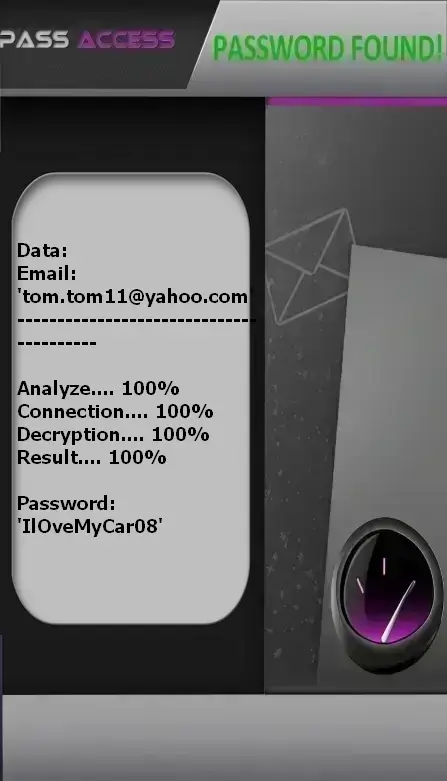
- The tool analyzes the data and displays the associated login credentials
Note: You can repeat this operation for as many accounts as needed, with no restrictions.
Why are Yahoo accounts targeted?
Yahoo remains a prime target for cybercriminals:
- History of security breaches: Several major data leaks in the past
- Older accounts often neglected: Less frequent security updates
- Access to other services: Flickr, Yahoo Finance, discussion groups
- Accumulated personal data: Old emails containing sensitive information
- Used for account recovery: Many still use Yahoo as a recovery email for other accounts
The 6 most common hacking methods
1. Phishing
Attackers send fake emails impersonating Yahoo (e.g., "Security issue detected").
How it works:
- Urgent "security compromised" email
- Link to a fake Yahoo login page
- Theft of login credentials
- Redirect to the real Yahoo site
2. Social Engineering
Attackers contact users pretending to be Yahoo support.
Techniques used:
- "Yahoo Support: account verification required"
- "Your account will be suspended without immediate action"
- Fake Yahoo contests with attractive prizes
- Requests for personal information
3. Exploitation of historical data breaches
Leveraging past Yahoo security breaches.
Exploitation methods:
- Using data from the 2013–2014 breaches
- Testing previously compromised passwords
- Reusing stolen security question answers
- Targeting accounts never updated since the breach
4. Weak security questions
Exploiting guessable answers to security questions.
Process:
- Researching personal info on social media
- Trying common answers (mother’s maiden name, pet’s name)
- Using automated tools to test combinations
- Resetting password via security questions
5. Password reuse
Using credentials leaked from other sites.
Consequence:
- Data breaches on other platforms
- Testing the same credentials on Yahoo
- Easy access if passwords are reused
- Domino effect across all linked accounts
6. Malicious third-party apps
Connected apps requesting broad account access.
Risks:
- Third-party email management tools
- Suspicious productivity apps
- Unverified backup services
- Permanent access to emails and contacts
7 effective protection strategies
1. Unique and strong passwords
- 12+ characters with varied types
- Absolutely unique to Yahoo
- Avoid dictionary words
- Use a password manager
- Change regularly
2. Two-factor authentication
- Enable in Account Settings > Security
- Use an authenticator app
- Avoid relying solely on SMS
- Generate backup codes
- Review recent logins
3. Strong security questions
- Use fictitious and complex answers
- Avoid questions with publicly findable answers
- Store answers in a secure location
- Regularly update your security questions
4. Third-party app review
- Regularly audit connected apps
- Revoke unused permissions
- Beware of unverified applications
- Check requested permissions
5. Anti-phishing vigilance
- Yahoo will never ask for your password via email
- Always verify the URL before logging in
- Beware of urgent or alarming emails
- Bookmark the official Yahoo site
6. Security updates
- Respond to Yahoo security prompts
- Keep recovery info up to date
- Enable security alerts
- Regularly review account settings
7. Proactive monitoring
- Review recent account activity
- Enable login notifications
- Monitor for emails sent without your action
- Use security monitoring tools
What to do if your Yahoo account is hacked?
Act immediately:
- Attempt to recover your account via Yahoo’s Account Recovery Assistant
- Change your password immediately if possible
- Check account settings and email filter rules
- Review recent activity and login history
- Audit authorized third-party apps
- Report the hack to Yahoo Support
- Alert your contacts about potential fraudulent emails
- Strengthen security by enabling two-factor authentication
FAQ – Frequently Asked Questions
Has Yahoo improved security after the major breaches?
Yes, Yahoo has significantly strengthened its security measures and now offers features like two-factor authentication.
Are older Yahoo accounts more vulnerable?
Yes—especially if passwords and security questions haven’t been updated since the historical data breaches.
Does Yahoo detect suspicious logins?
Yes, Yahoo can alert you when logging in from a new device or unusual location.
How can I check if my account was compromised in a data breach?
Use services like Have I Been Pwned to see if your email appears in known data leaks.